What to do when an agent runs out of usage
Each AI agent comes with limits set by your plan with the company that makes it, such as Anthropic or OpenAI. Enjoy doesn’t set them. When an agent hits one, the conversation doesn’t fail. Enjoy waits until the limit resets, then tries again, and the agent continues where it left off. This works the same for every agent.
Steps
Find the waiting card
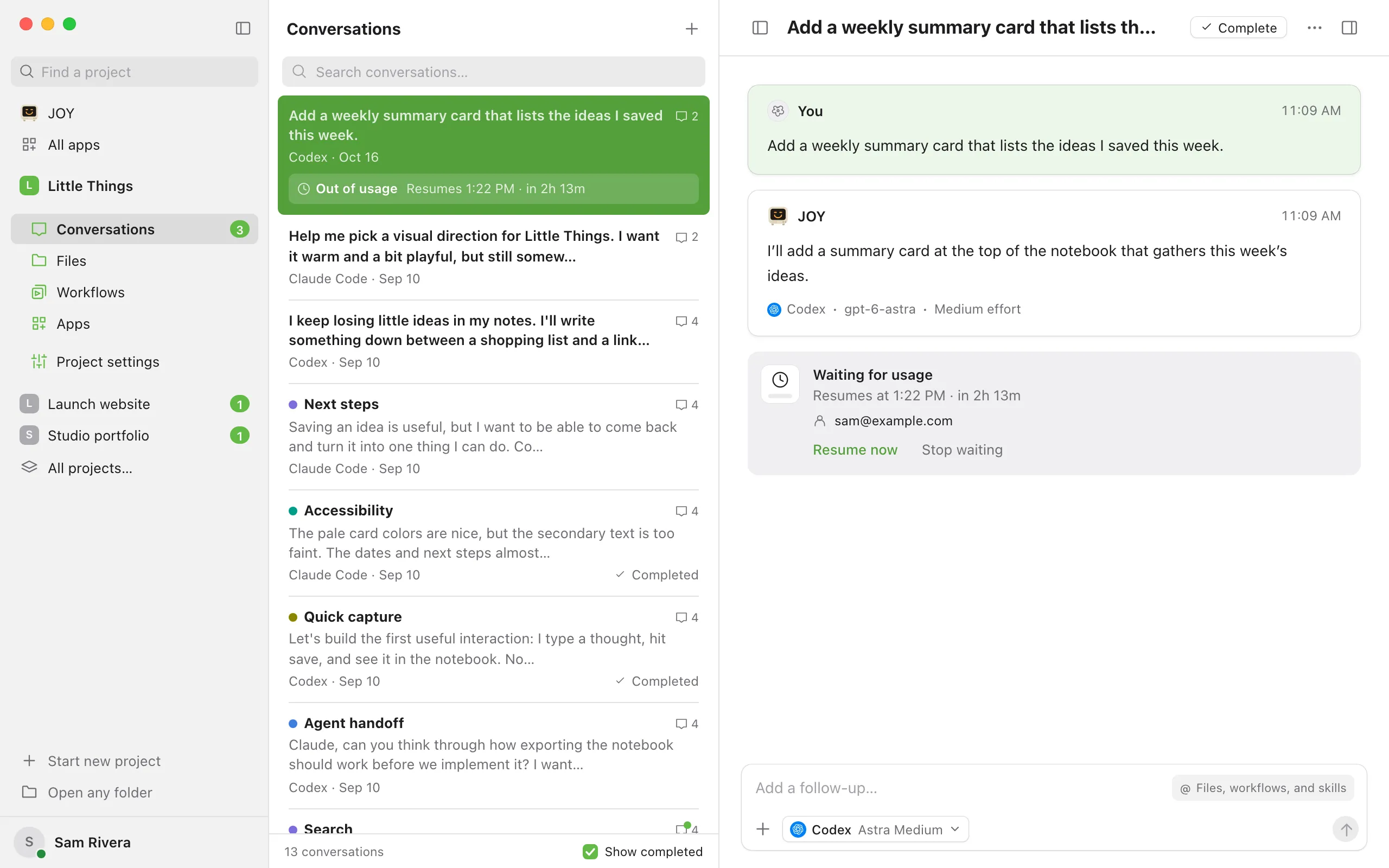
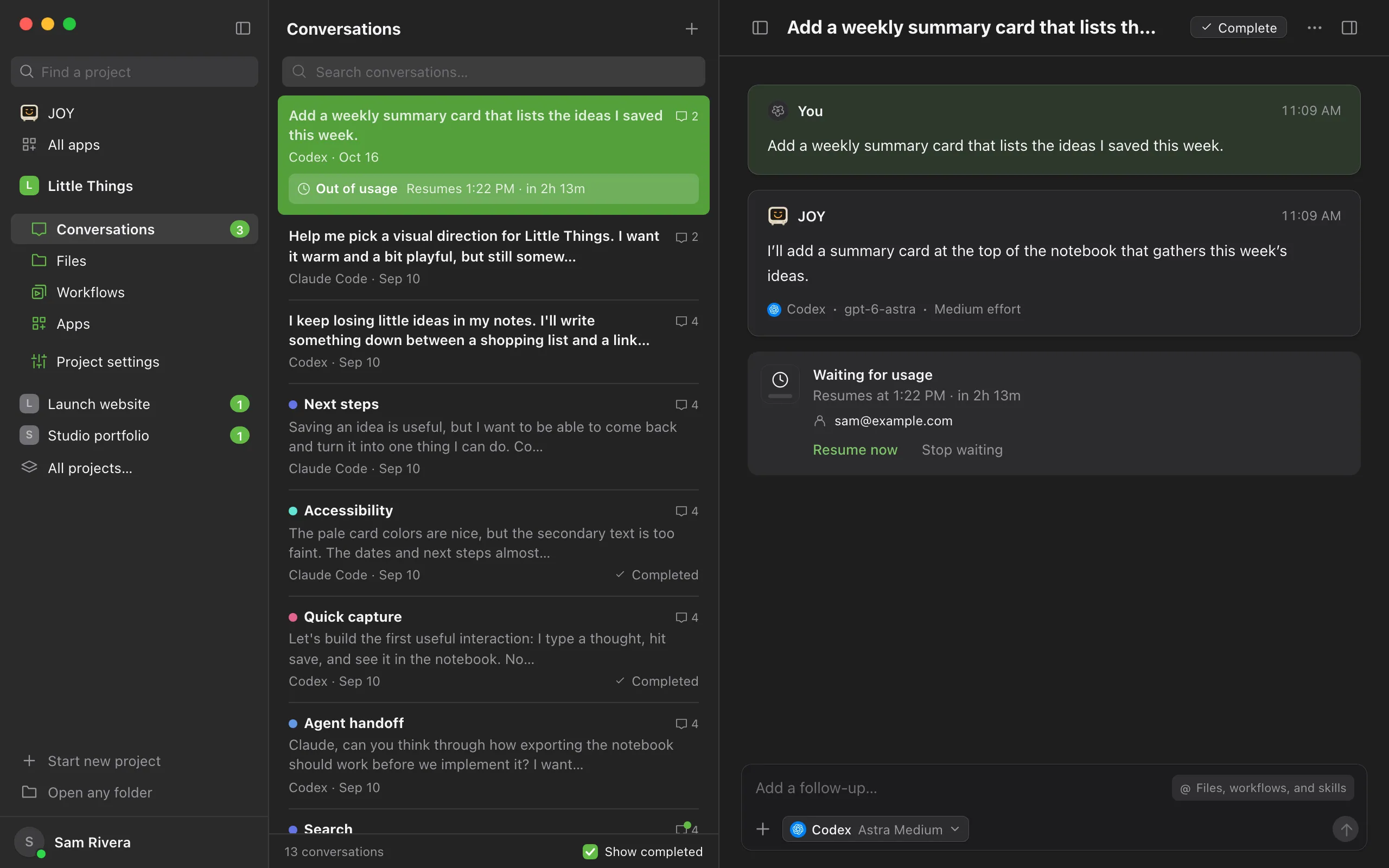
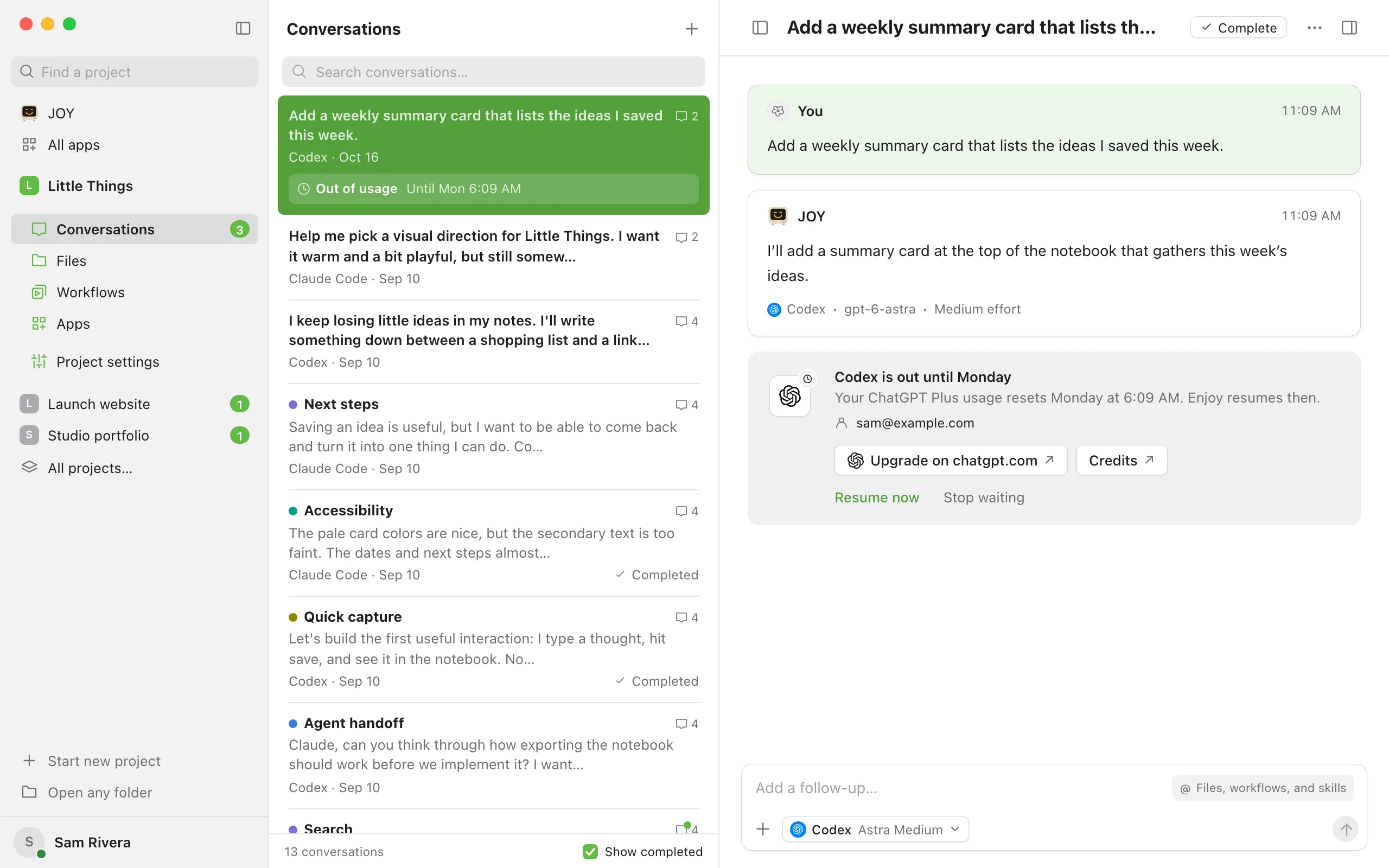
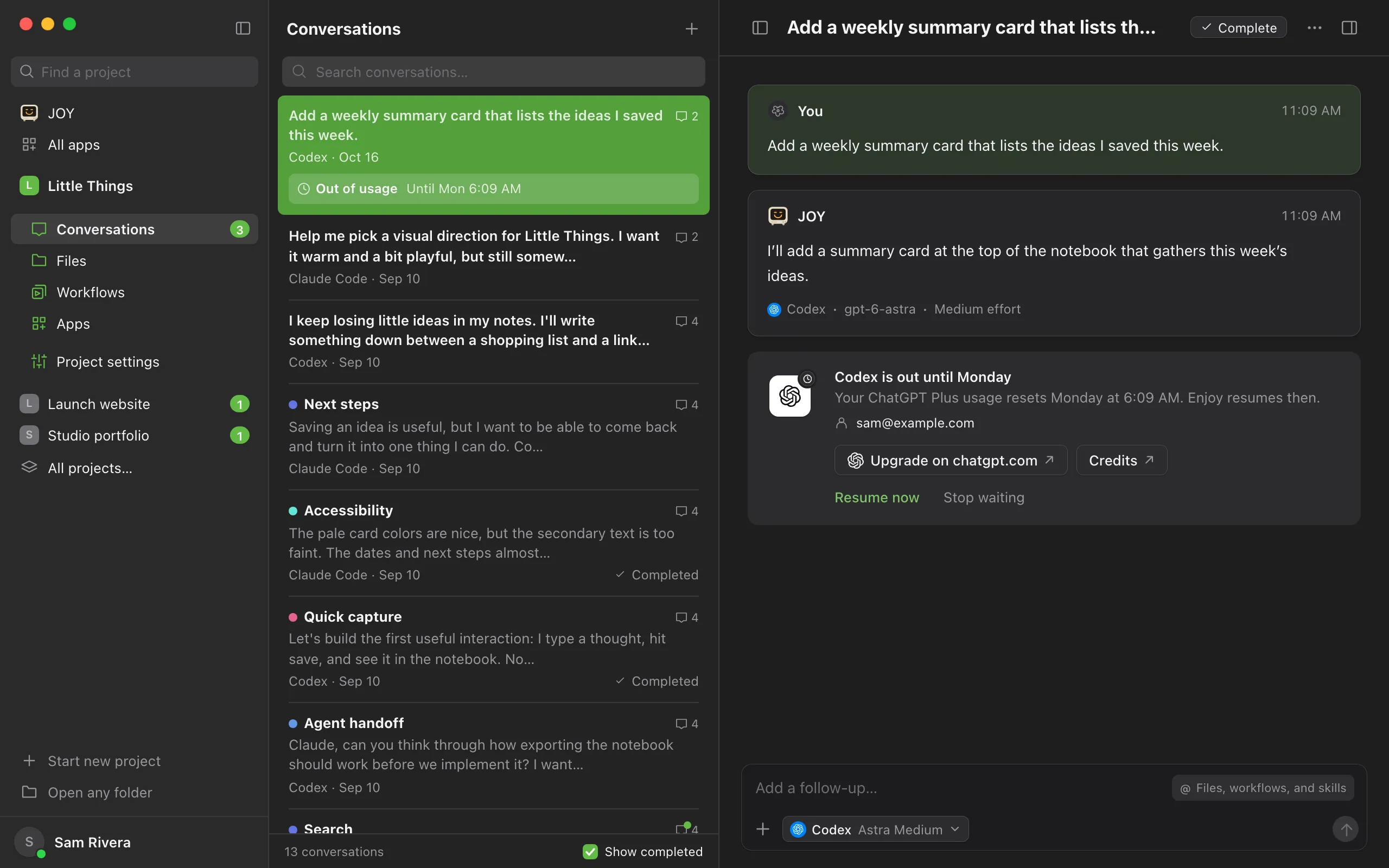
Under the last message, a card with a ring says Waiting for usage and when the conversation will resume, such as Resumes at 3:00 PM · in 2h 14m. If Enjoy can’t tell when the limit resets, it says Resumes when usage returns. When the wait is longer than a few hours, such as for a weekly limit, the card shows the agent’s company on a key instead and says when the agent is back, such as Codex is out until Friday. Under that, the card names the account that ran out, such as sam@example.com: the one the agent was using when it stopped, even if you’ve switched accounts since. The conversation’s status says Out of usage, with the time when it’s known, such as Out of usage · 3:00 PM. In the conversation list, an Out of usage box under the conversation says when it resumes. You don’t need to do anything else for it to continue.
Check when it resets
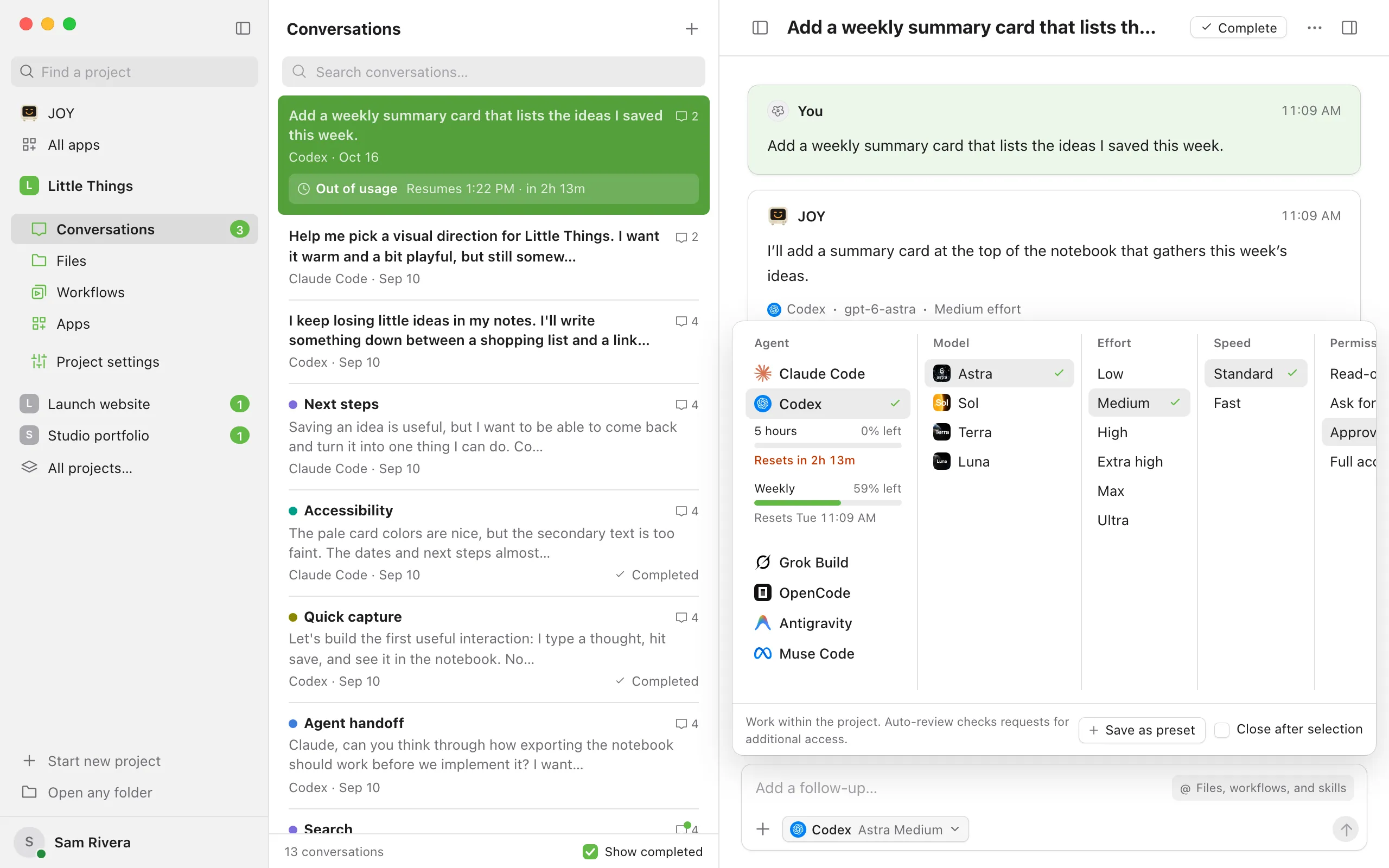
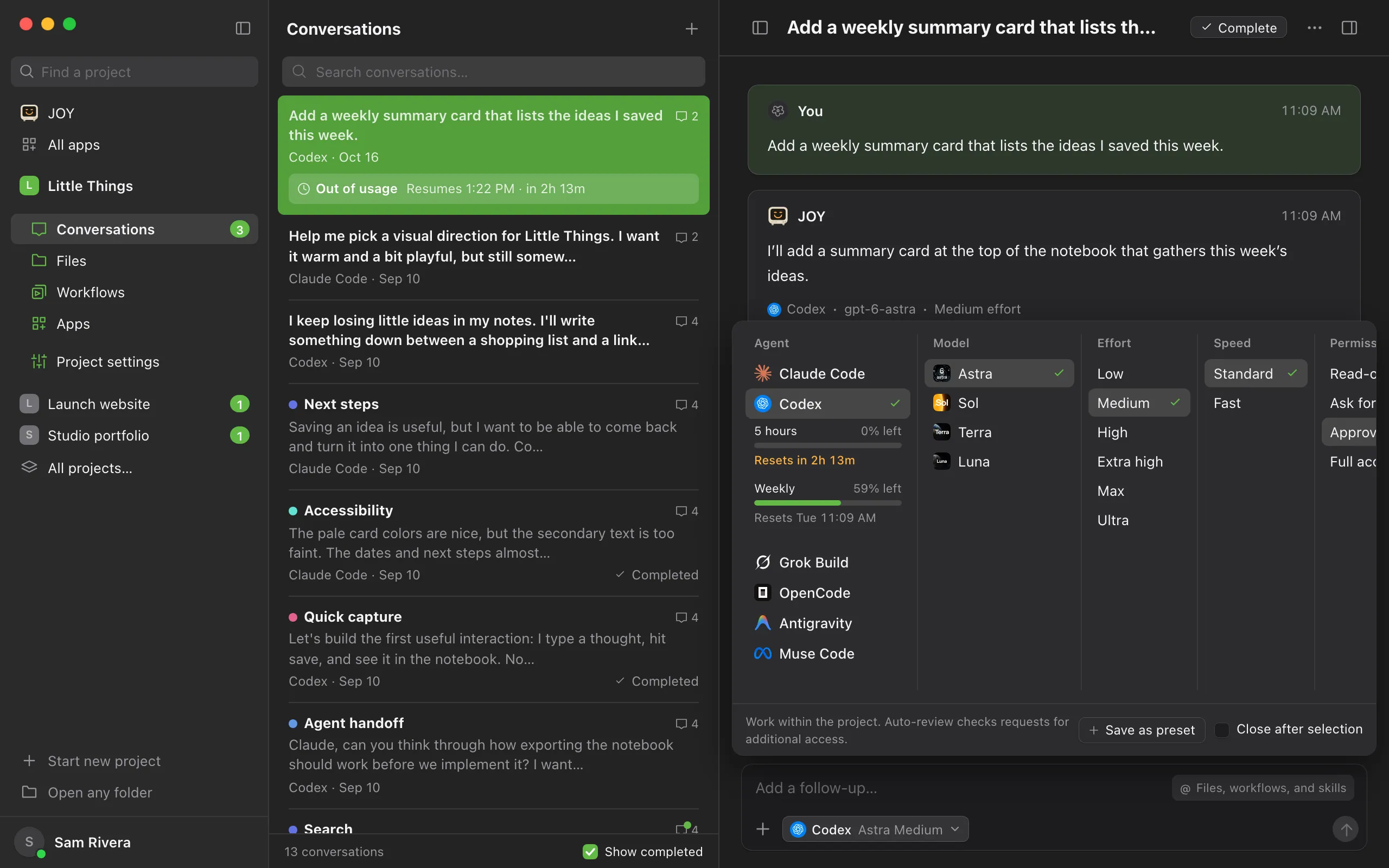
In the computer app, open the agent settings in the message box. The usage meters show how much is left, such as 0% left, and Resets under each one shows when it fills back up. See Check how much usage you have left.
Move to another account, or select Resume now to continue sooner
After you switch the agent to another account you’ve added, the card offers Move to and that account first, such as Move to alex@example.com. Select it, or Move in the conversation’s Out of usage box in the conversation list, and the conversation continues on that account right away. After you upgrade your plan with the agent’s company, select Resume now. Enjoy tries again right away. If the usage is still out, the conversation goes back to waiting. Switching accounts works in the computer app. See Switch between agent accounts.
For a long wait, get more usage from the agent’s company if you want it
When the wait is longer than a few hours, the card links to the company’s own pages for your plan, such as Upgrade on chatgpt.com and Credits, or Upgrade on claude.ai and Extra usage. They open in your browser, where the company shows its price and you decide. Then select Resume now. Enjoy doesn’t sell, buy or change plans, and shows no prices of its own.
Or continue with another agent
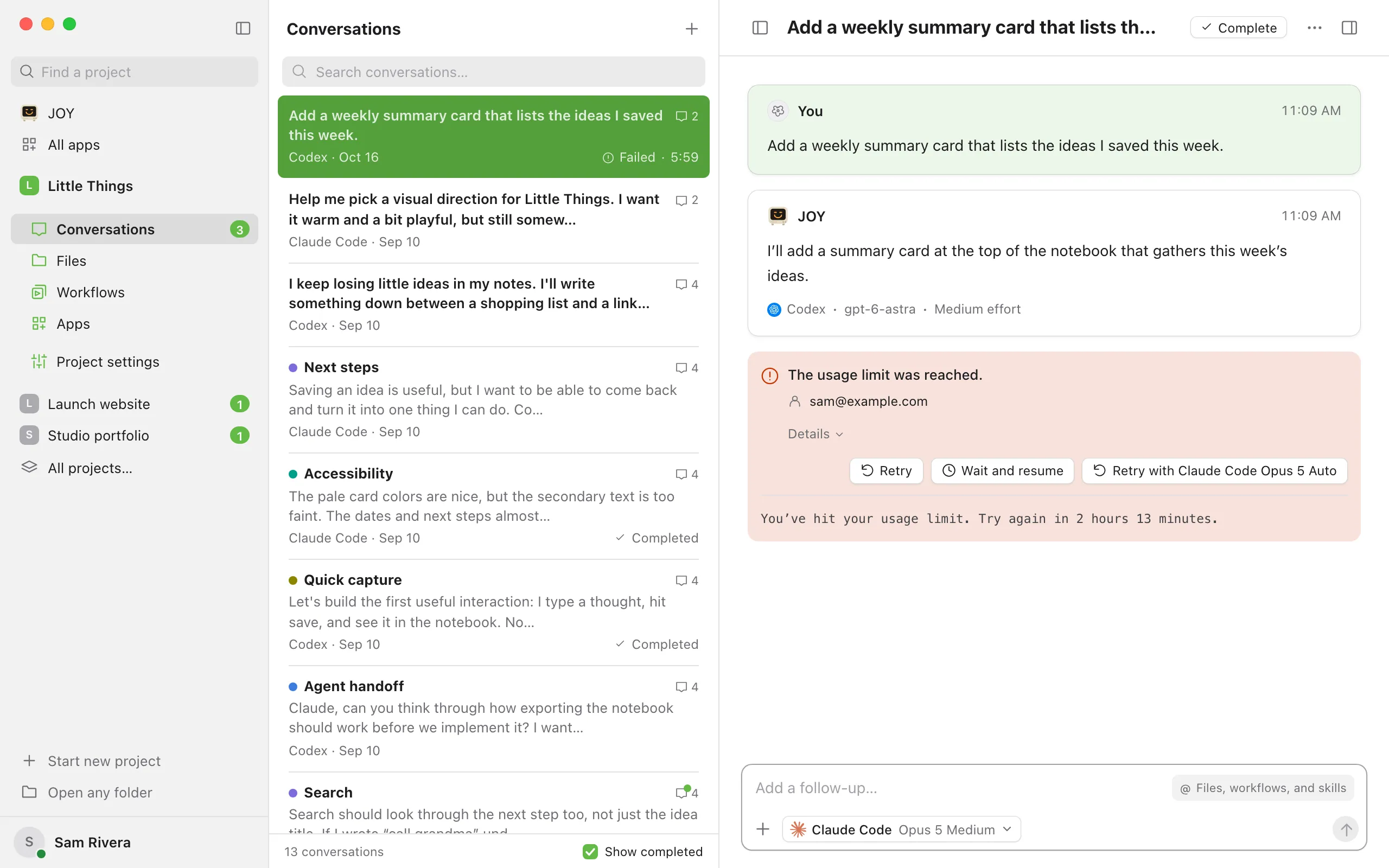
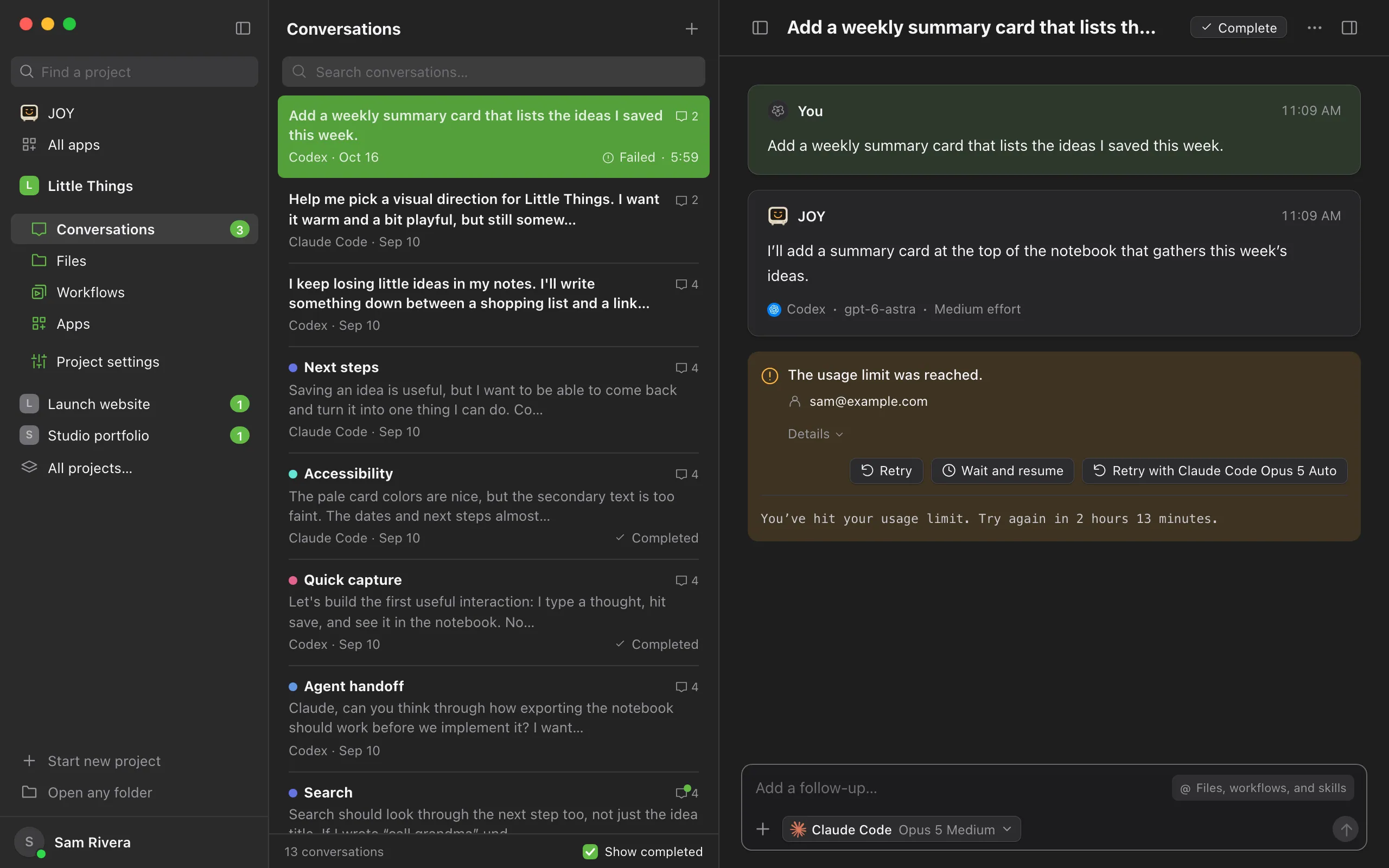
Select Stop waiting, choose a different agent or model in the message box, then select the button that starts with Retry with. It names what you changed.
Good to know
When a waiting conversation resumes
- Enjoy finds the reset time in the agent’s message about the limit. When the message doesn’t say, Enjoy uses the usage the agent reports, the same numbers as in the agent settings. OpenCode doesn’t report usage, so Enjoy only knows when it resets if its message says so.
- When neither gives a time, Enjoy tries again after about 15 minutes, then less often, up to once an hour, until the agent can continue.
- Your computer must be on, with Enjoy open, when the usage resets. Waiting doesn’t keep the computer awake. If it’s asleep at that time, the conversation resumes after it wakes. See Keep your computer awake.
- Messages you queued wait too. They continue after the conversation resumes.
- The web app and the iPhone app show waiting conversations too, with Resume now and Stop waiting, Move to after you switch accounts, and a long wait’s links to the agent’s company.
Use a free reset
OpenAI sometimes gives Codex accounts free resets. When a conversation is waiting for Codex usage and your account has one, the card offers Use a reset with how many you have, such as Use a reset · 2 left. Select it, then Yes, use reset. Your limits refill, the card says Usage refilled, and the conversation continues right away. Other conversations in the project waiting for Codex continue too. Select Keep waiting to save the reset instead. Using a reset works in the computer app. See Use a free reset.
Stop instead of waiting
To have conversations stop when usage runs out, select the circle with your initial in the top-right corner of the computer app, select App settings, and choose Stop under When usage runs out. Wait and resume is the default. The setting applies to every agent. It’s only in the computer app, because that’s where your agents run.
A conversation that stops says The usage limit was reached. and names the account that ran out under it. Details shows the agent’s own words about the limit. Select Retry to try again now, or Wait and resume to have just this conversation wait for the reset. After you switch accounts, Move to and the new account comes first, and tries again on that account. Selecting Stop waiting on a waiting card leaves the conversation the same way.
Getting more usage
- Usage limits belong to the agent’s company. To get more, use a free reset if you have one, or change your plan with that company. See Do I need a separate AI subscription?.
- A wait of a few hours never shows these links: it ends sooner than a bigger plan would help, and upgrading starts a new month with the company.
- The links depend on the plan the agent says you’re on. On Claude Pro, the card offers Upgrade on claude.ai and Extra usage. On Claude Max, only Extra usage, because Claude Code doesn’t say whether you’re on Max 5x or Max 20x. On ChatGPT Plus, Upgrade on chatgpt.com and Credits, and on ChatGPT Pro, Credits. Team, Enterprise and other organization plans show none, because an admin manages their usage.
- Smaller requests and lower effort settings use less. See Make your agent usage last.
- When a month of your Claude Code usage fits in a smaller plan, Enjoy says so. See Find out when a smaller plan would do.
If something goes wrong
The conversation is still waiting after the reset time
Once the reset time passes, the card says Resuming shortly. Check that your computer is awake and Enjoy is open on it. Enjoy tries again about a minute after the reset. If the usage is still out, for example because a weekly limit also ran out, the conversation keeps waiting and Enjoy tries again later. Select Resume now to try right away.
The request limit was reached.
This is different from a usage limit: the agent got too many requests in a short time. Enjoy doesn’t wait for it. Wait a little, then select Retry.
This account can’t use the selected model. Choose another model, then try again.
The account you switched to doesn’t include that model. Choose another model in the message box, then select the Retry with button.
Usage unavailable
The usage meters can’t load right now, or the agent doesn’t report its limits, as with OpenCode. Point at Usage unavailable to see why. The web app always shows this, so check usage in the computer app. A waiting conversation still resumes on its own.