Delete a conversation
Deleting can’t be undone. If you only want a conversation out of the way, mark it as completed instead and hide completed conversations. See Mark a conversation as completed.
Steps
Good to know
- If the agent is working, Enjoy stops it first.
- Websites, servers, and other processes the conversation started are stopped too. See What’s in the Processes list.
- The conversation’s questions, its unsent draft, and its files in the project’s storage are deleted with it.
- Images and files you attached to its messages stay in the project’s storage.
- Changes the agent made to your project’s files stay as they are. To undo them, see Undo changes an agent made.
- The conversation disappears from your other devices too.
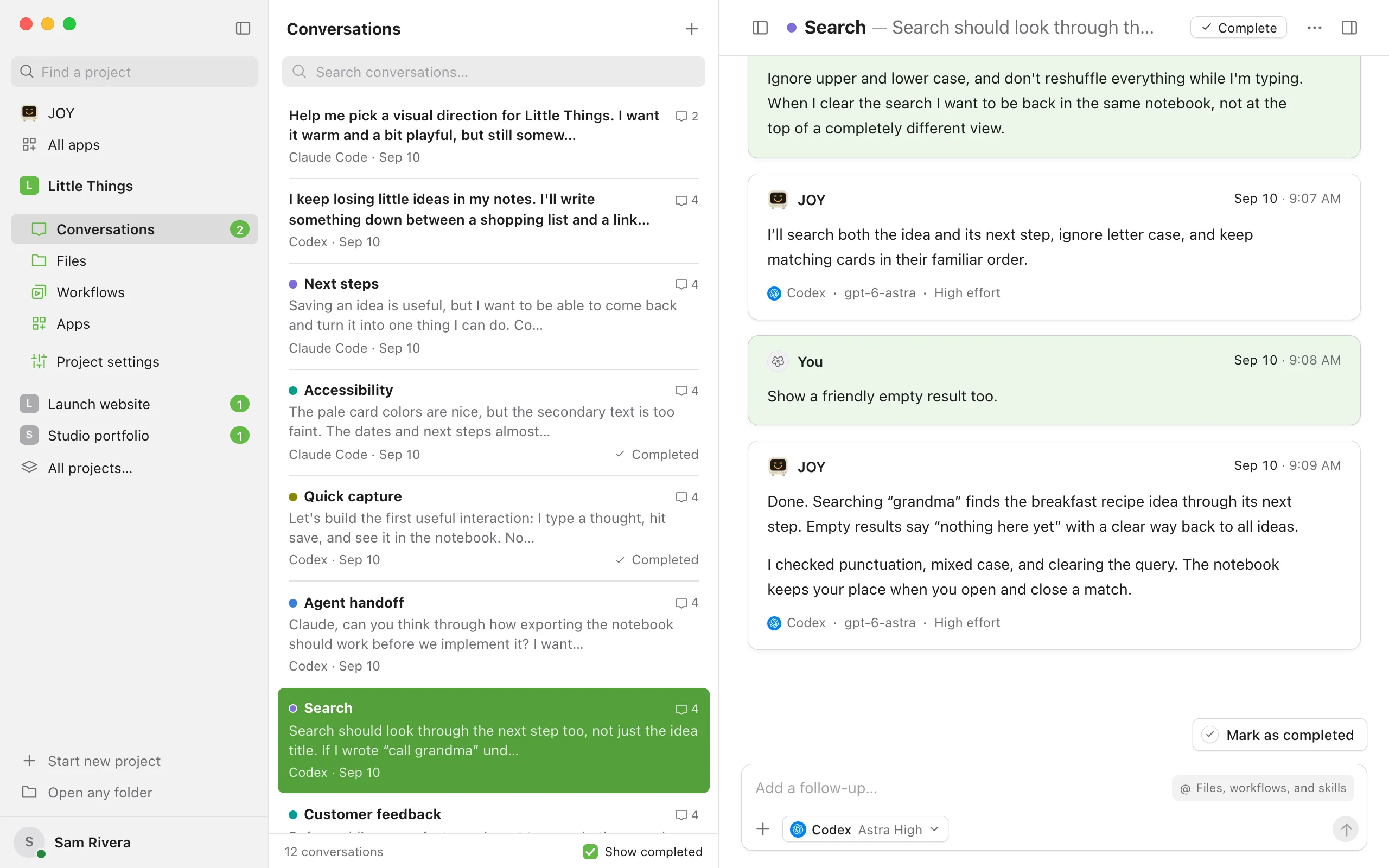
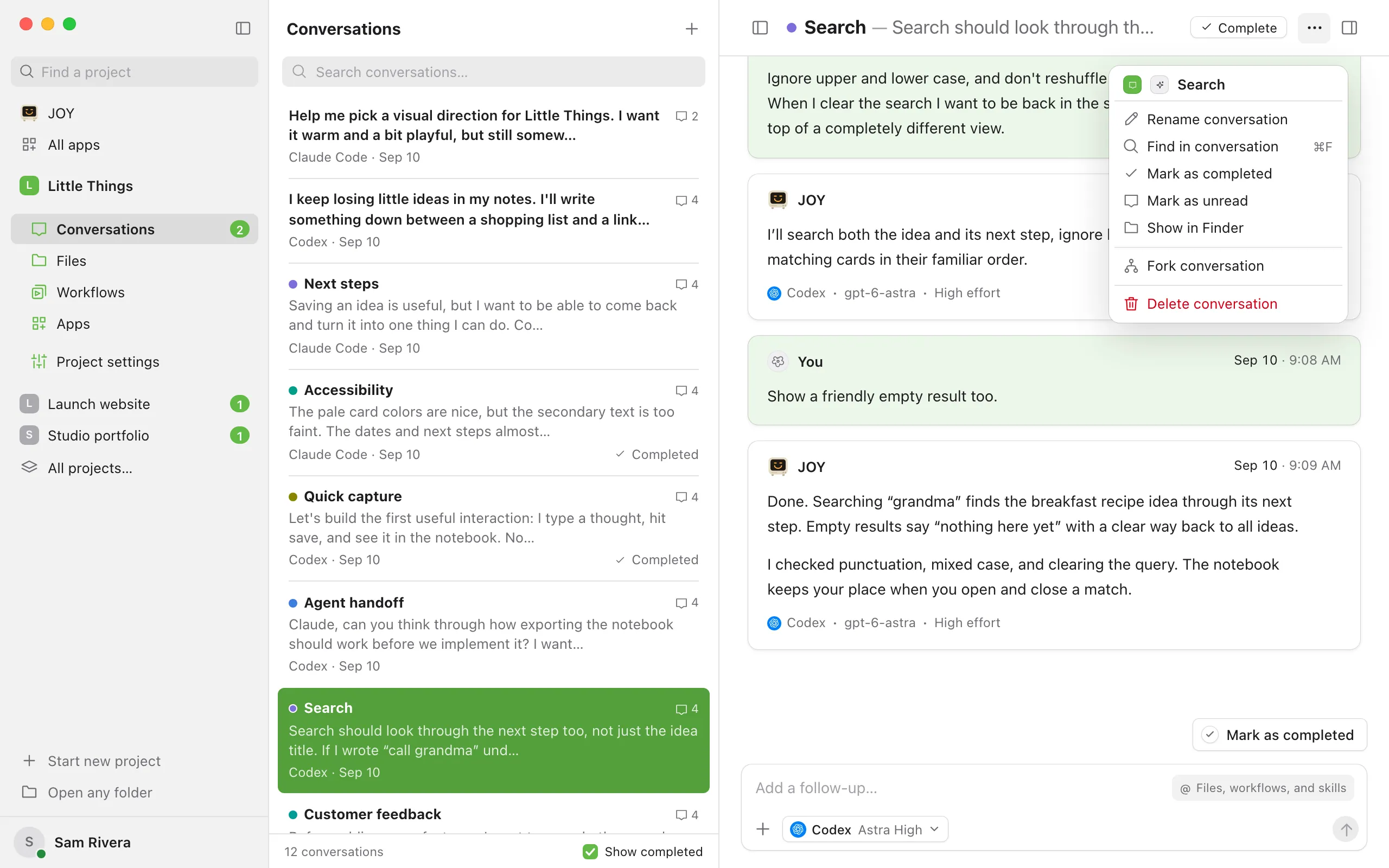
- You can also right-click a conversation in the list and choose Delete conversation, or select several with ⌘-click (Ctrl-click on Windows and Linux) to delete them together. Deleting from the list asks you to confirm first. See Select several conversations at once.
- To delete one of your conversations with JOY, open JOY from the sidebar and use the ⋯ button on the conversation in its list. See Ask JOY, which oversees your agents.
- In the iPhone app, open Conversation actions (the ⋯ button) and choose Delete conversation, or touch and hold the conversation in the list. The iPhone app asks you to confirm, and warns “It will be removed from your desktop too.”
If something goes wrong
Delete conversation is unavailable
You have View only access to this shared project. Ask the project’s owner to delete it, or to give you Can work access. See Change what a teammate can access.
“Wait for the agent change to finish.”
The conversation is switching to another agent. Wait a moment, then try again.